Testing with RSpec
The project testing conventions are defined here.
Test Metadata
allow_http_requests=> vcr.rbbullet=> bullet.rbexternal_authorizator=> external_authorizator.rblocale=> locale.rbpreserve_env=> env.rbpry=> pry.rbstrategy=> database_cleaner.rbtime_frozen,time_frozen_at,time_frozen_at_beginning_of_minute=> timecop.rbverbose_logging=> logging.rbfeature_flags=> feature_flags.rb
Matchers
Helper methods
count_all_records=> database_helpers.rb
RSpec Only Failures option
A useful feature of RSpec is the usage of only failures feature.
This option requires a single (gitignored) file in working tree that's used by RSpec to record test suite results for individual tests.
Once you have this file in your working tree you can run RSpec using two filter flags:
--only-failures: Run all failed examples according to status file (usually this means in previous RSpec execution)--next-failure: Run first failing example according to status file (usually this means in previous RSpec execution)
Status file will be updated by RSpec according to new status i.e. if you have a failing example and you run rspec --only-failures by fixing one or more specs, status file will be updated to record the new status and if you re run the same command fixed specs won't be executed anymore. This workflow is illustrated in RSpec docs
How to debug a flaky spec
If your CI [TESTS] failed examples presents some failed tests after retrying, you probably have some flaky tests, please don't panic!
You can try to reproduce the same exactly results by following these steps:
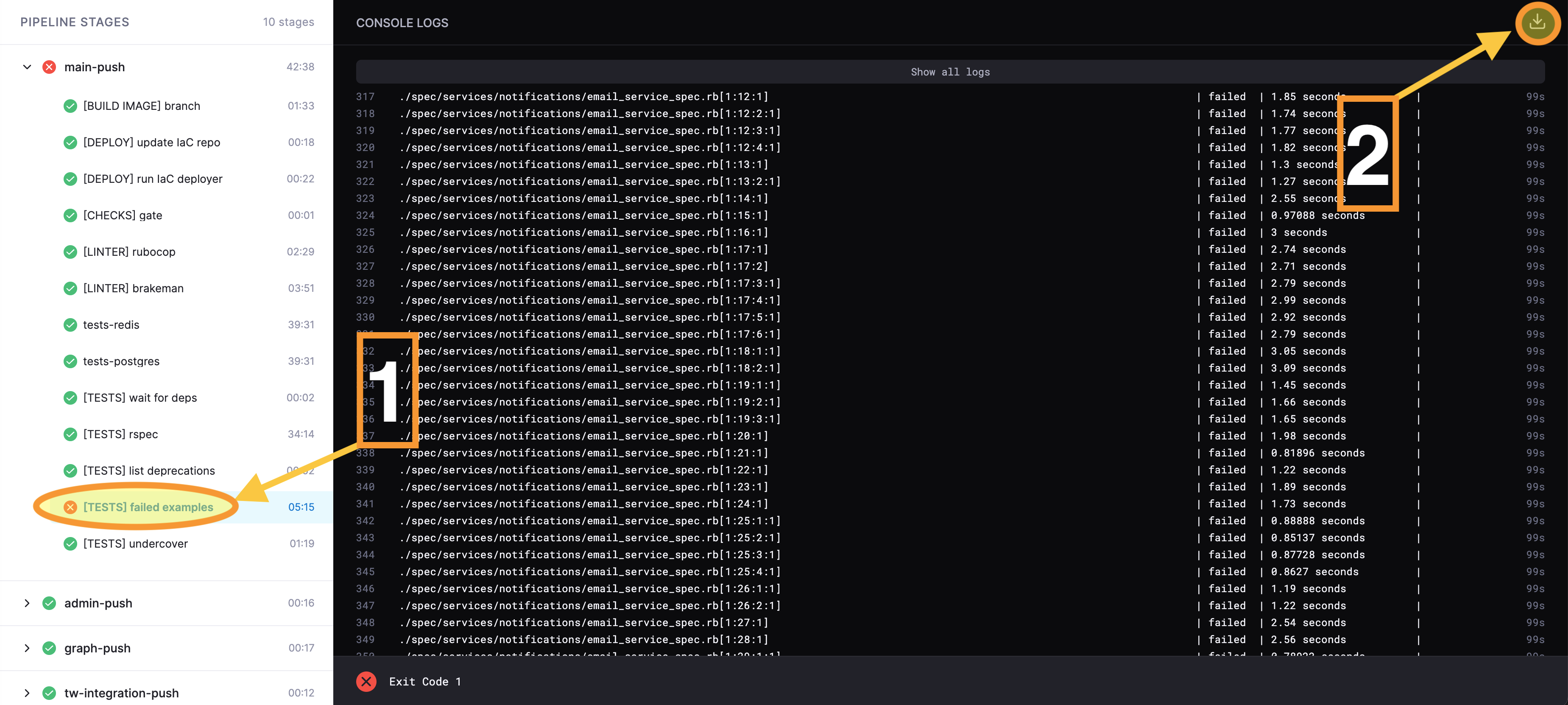
- Go to your CI
[TESTS] failed examplesstep and click to this button to download the log file:
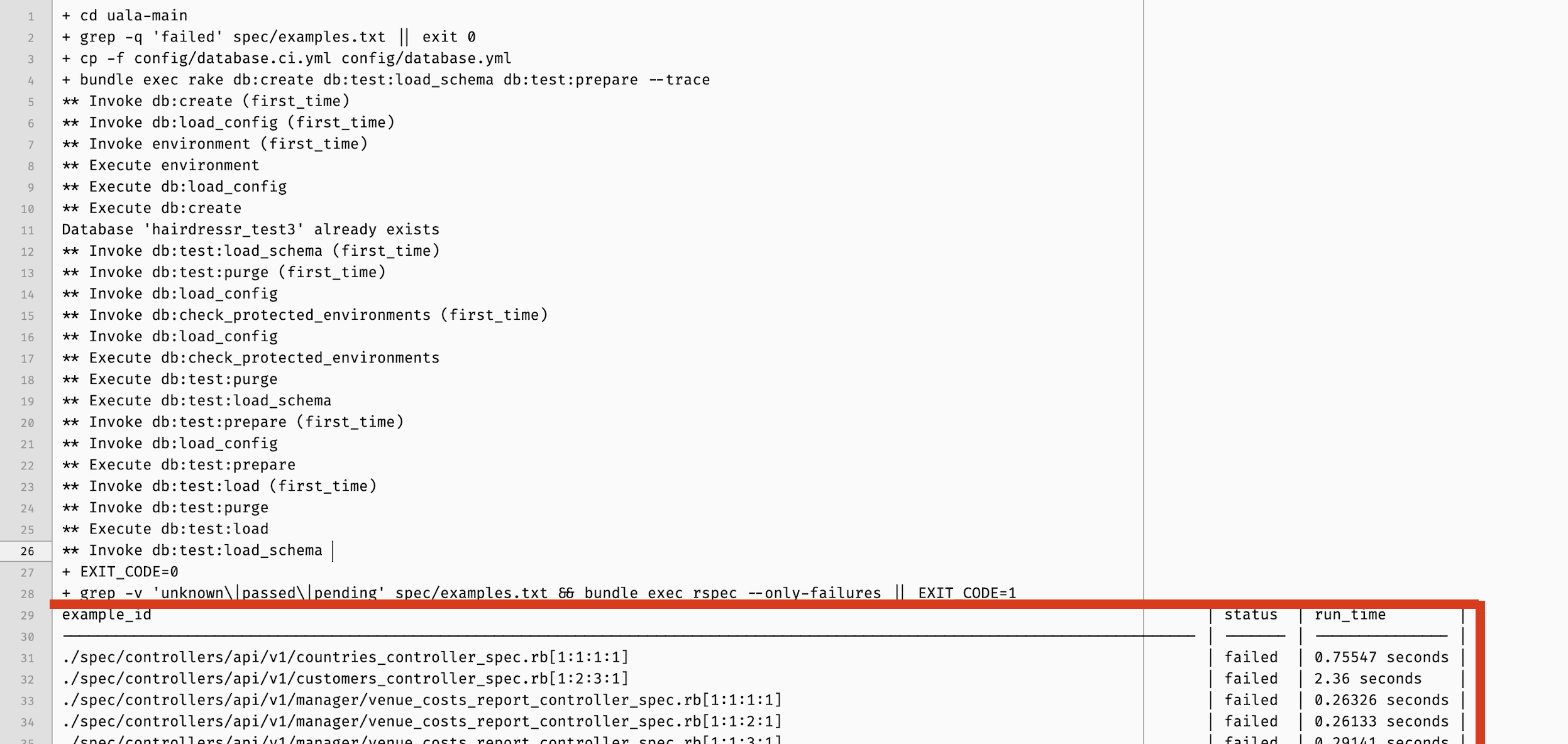
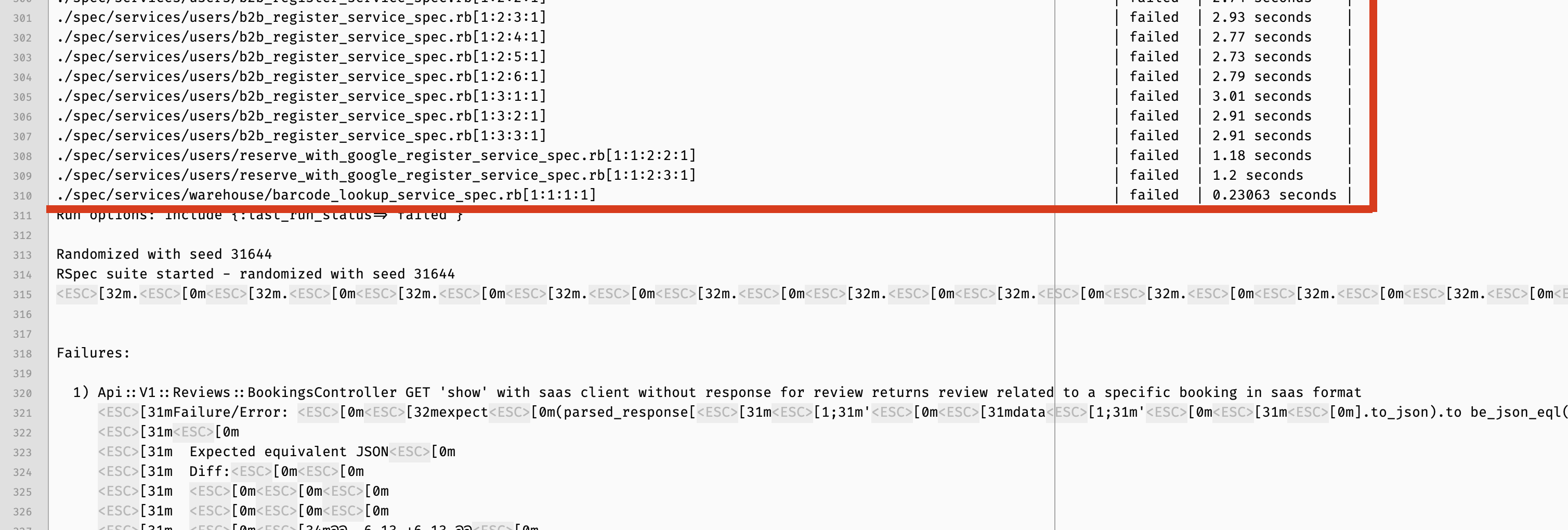
- Open the downloaded log file with your favorite editor and copy from
example_id(included) line to the last./spec/...(included) line:
-
Replace
spec/example.txtfile content with what you've just copied -
Find the seed number in the log file and then use it by running this command in your terminal (replacing
<SEED_NUMBER>):
grep -v 'unknown\|passed\|pending' spec/examples.txt && bundle exec rspec --only-failures --seed <SEED_NUMBER>
- Take a ☕ and wait until the execution has finished...
NOTE: Each time you've run the step 4 command the spec/example.txt file changes, so if you want to re-run it, re-start from step 3.
Jenkins build fixes using --next-failure
This RSpec option is extremely useful when fixing CI builds. Assume you have a failed build with a subset of specs that are failing in a Jenkins build, instead of copying and pasting rspec ./spec/xxx_spec.rb:123 commands from failing build log you can take the whole spec/examples.txt produced* on Jenkins and run only failed specs on your machine.
Once you have pasted spec/examples.txt in your local file you can repeatedly run a single command rspec --next-failure to run a single failing spec. There are two possible outcomes:
- Spec is still failing, in this case RSpec will quit after that and rerun the same example on next invocation
- You fixed the failing spec, in this case and RSpec run the next one in the list until the list is empty (i.e. all specs have been fixed) or find the next failure,
Repeat until the build is green again.
Happy RSpec'ing
* Currently spec/examples.txt is shown on build stdout at the end of failed builds.
RSpec tests bisection
To solve random tests failures, you can use the use the --bisect argument when running rspec.
A second argument --seed N is required to correctly bisect the tests.
Instructions
Take note of the seed number used in the latest failing test and run:
bundle exec rspec spec --seed SEED_NUMBER --bisect
Example result:
Bisect started using options: "spec --seed 29579"
Running suite to find failures... (10 minutes 33 seconds)
Starting bisect with 7 failing examples and 5515 non-failing examples.

Round 1: searching for 2758 non-failing examples (of 5515) to ignore: . (20 minutes 13 seconds)
Round 2: searching for 1379 non-failing examples (of 2757) to ignore: .. (2 minutes 1.6 seconds)
Round 3: searching for 690 non-failing examples (of 1379) to ignore: .. (1 minute 54.02 seconds)
Round 4: searching for 345 non-failing examples (of 690) to ignore: .. (1 minute 46.34 seconds)
Round 5: searching for 173 non-failing examples (of 345) to ignore: .. (36.88 seconds)
Round 6: searching for 87 non-failing examples (of 173) to ignore: . (19.06 seconds)
Round 7: searching for 43 non-failing examples (of 86) to ignore: . (12.83 seconds)
Round 8: searching for 22 non-failing examples (of 43) to ignore: .. (20.47 seconds)
Round 9: searching for 11 non-failing examples (of 22) to ignore: .. (19.01 seconds)
Round 10: searching for 6 non-failing examples (of 11) to ignore: . (10.48 seconds)
Round 11: searching for 3 non-failing examples (of 5) to ignore: . (9.97 seconds)
Round 12: searching for 1 non-failing example (of 2) to ignore: .. (17.72 seconds)
Round 13: searching for 1 non-failing example (of 1) to ignore: . (7.89 seconds)
Bisect complete! Reduced necessary non-failing examples from 5515 to 1 in 28 minutes 29 seconds.

The minimal reproduction command is:
  rspec ./spec/controllers/api/v1/appointments_controller_spec.rb[1:2:1:6,1:4:1:6,1:5:1:6] ./spec/features/admin/appointments_spec.rb[1:4] ./spec/features/admin/customers_spec.rb[1:1,1:2,1:5] ./spec/services/online_checkouts/create_service_spec.rb[1:3:2:4:1] --seed 29579
Sometimes rspec --bisect runs indefinitely especially with large test suite. In such cases this technique could be useful to unlock it. In order to use it in our codebase just run bisect with the following syntax (:fork is faster so if it works is always preferrable).
BISECT_WITH_SHELL=1 DISABLE_SPRING=1 bundle exec rspec --bisect=verbose --seed=xxx
VCR
To re-record some cassettes there's an ENV variable available: RSPEC_VCR_RECORD_MODE
Usage example: RSPEC_VCR_RECORD_MODE=all bin/rspec spec/lib/fiskaly_service/kassensichv/authenticate_spec.rb
TestProf
Check specs which abuse of FactoryBot.create
TestProf can be used to find which specs abuse of FactoryBot.create:
> cd uala-main && EVENT_PROF=factory.create bundle exec rspec spec/models/venue_products/
Coverband: to ensure no error logs or missing Coverage call `SimpleCov.start` prior to requiring Coverband

Randomized with seed 62390
[TEST PROF INFO] EventProf enabled (factory.create)
...................................[TEST PROF INFO] EventProf results for factory.create

Total time: 00:01.701 of 00:02.716 (62.66%)
Total events: 11

Top 5 slowest suites (by time):

VenueProduct (./spec/models/venue_products/scopes_spec.rb:1) – 00:01.298 (7 / 2) of 00:01.322 (98.18%)
VenueProduct factory (./spec/models/venue_products/factory_spec.rb:1) – 00:00.209 (1 / 1) of 00:00.226 (92.84%)
VenueProduct (./spec/models/venue_products/validations_spec.rb:1) – 00:00.193 (2 / 2) of 00:00.554 (34.87%)
VenueProduct (./spec/models/venue_products/commentable_spec.rb:1) – 00:00.000 (1 / 2) of 00:00.130 (0.23%)
As you can see from the output above, TestProf:
- Prints the slowest examples by top-level group (aka by file)
- Prints the amount of
FactoryBot.createcalls per file:spec/models/venue_products/scopes_spec.rb [...] (7 / 2)means thatFactoryBot.createhas been called 7 times and that the file contains 2 specs (2itblocks)