Unleash and Feature Flags
In order to gradually release new features to our users, we use a feature flagging system. This allows us to release features to a small percentage of users, and then increase the percentage over time. This allows us to test new features in production, and to roll back if necessary.
We use the Unleash feature flagging system. Unleash is an open source feature flagging system, and is available on GitHub.
!!! Our instance of Unleash is available at https://unleash.uala.dev/. To obtain access to Unleash, please contact the team. !!!
General usage
In our codebase, the Unleash client is available via the Uala::Features module. The typical usage is:
# If feature activation does not depend from context
if Uala::Features.enabled?('anything')
  # do something
else
  # do something else
end

# If your feature activation strategy depends from a model you should pass it using
# a Unleash::Context instance or use our method wrappers that will create the context for you
# embedding the given model in it (see below)
if Uala::Features.model_enabled?('TWPRO_6188', @venue)
  # do something
end
# With a context built from scratch
@context = Unleash::Context.new(
  user_id: current_user.id,
  remote_address: request.remote_ip,
  properties: { venue_id: @venue.id, whatever: 'you want' }
)
if Uala::Features.enabled?('TWPRO_6188', @context)
  # do something
end
The first argument is the name of the feature flag. The second argument is a model (typically a Venue), which will provide the context for unleash.
!!!warning
When you define a feature, please define a const in the code with the ID of that feature to avoid duplication and always refer that const as reference to that . (e.g. TWPRO_1234 = 'TWPRO_1234', or better MY_COOL_FEATURE = 'TWPRO_1234'). In unleash we generally use the TWPRO story identifier for the feature name.
!!!
Alternate syntax:
Uala::Features.if_enabled('TWPRO_1234', @context) do
  # do something
end
The first argument is the name of the feature flag. The second argument is the context for unleash. A typical usage of this pattern can be exploited in controllers implmented in this snippet (permalink)
:::code source="../../../uala-core/lib/uala/core/controller.rb" range="637-647" language="ruby" :::
With that you can write in your controller conditional code like this one:
def some_action
  if_feature_enabled 'TWPRO-XXX' do
    # Run iff feature is enabled
    render 'something_new'
  end
end
You can pass a second argument to if_feature_enabled to pass a context to unleash. By default a context is created from the current_user and request IP address, so you can use UserID and remoteAddress as activation strategies in Unleash out of the box.
Strategies
Unleash support multiple activation strategies, some of them works out of the box (using contexts), while custom one can be implemented, following their documentation.
In our codebase there are two main common strategies for feature flags:
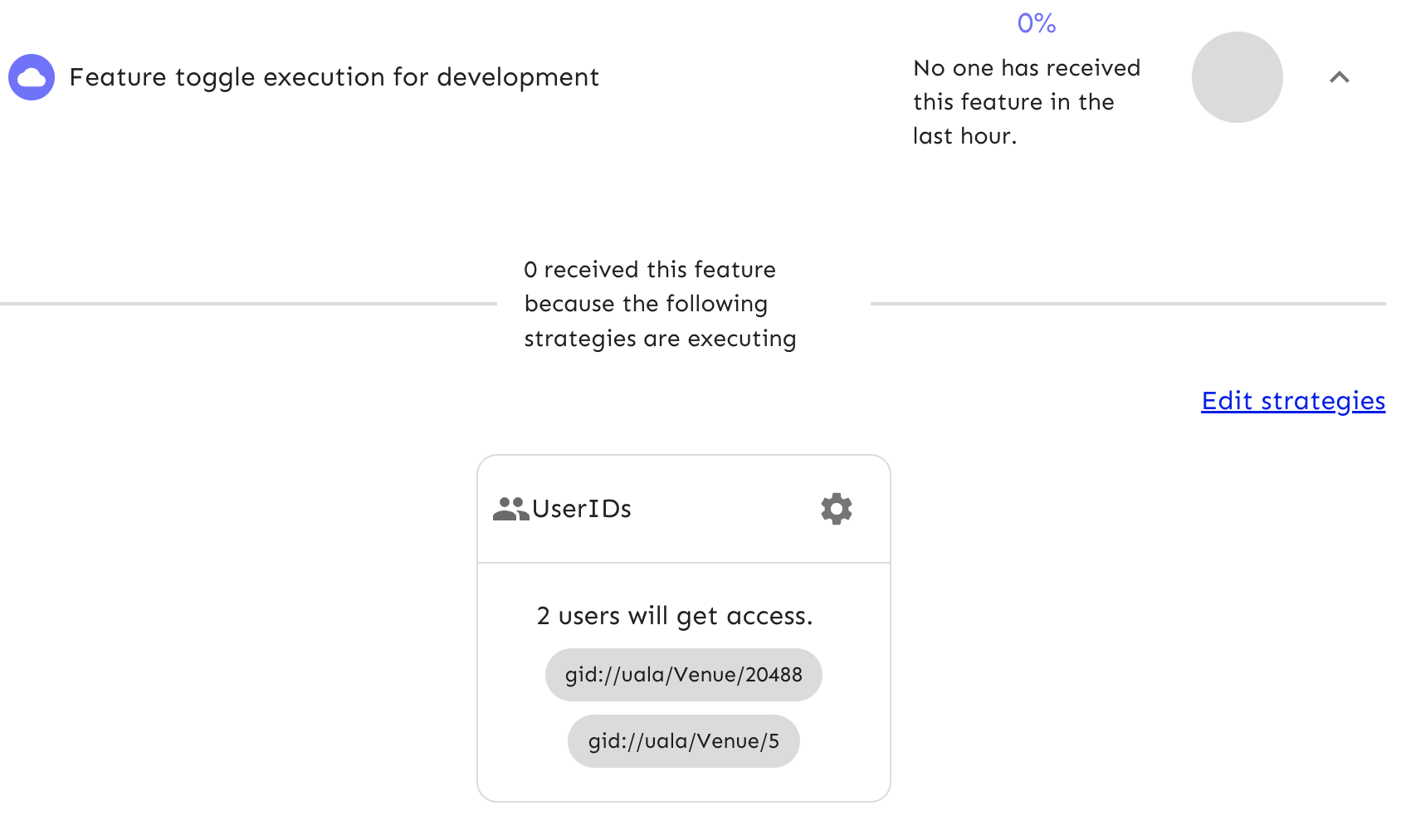
- User ID strategy
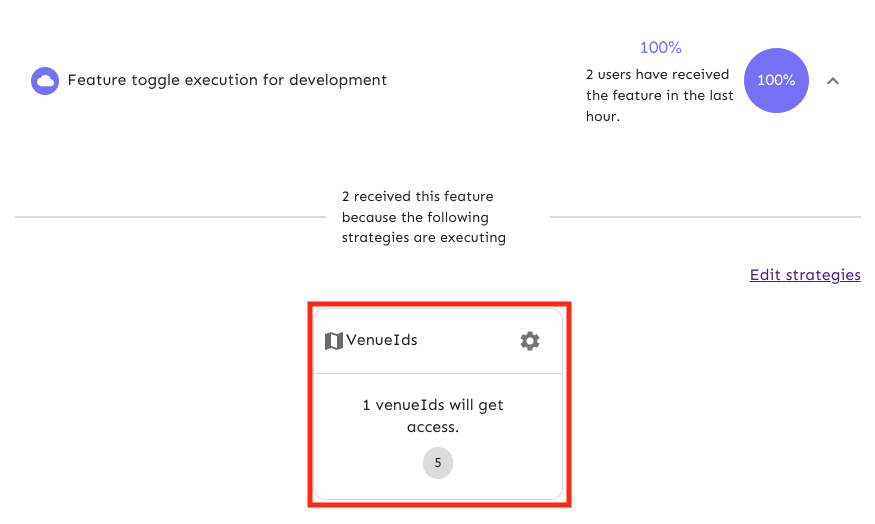
- Venue ID strategy
For backend only Feature Flags, we prefer the former solution (UserId strategy) as this strategy is based on the resource GID (Global ID) which is much more versatile, as any model instance can be used in the context as "UserId".
The VenueId strategy, on the other side, is used when we want to share the Feature Flag between the backend and the frontend, as this is the preferred strategy for the frontend team. This strategy can only be used with the Venue model and cannot be used with other models.
User ID strategy
Venue ID strategy
How to enable a feature flag in development
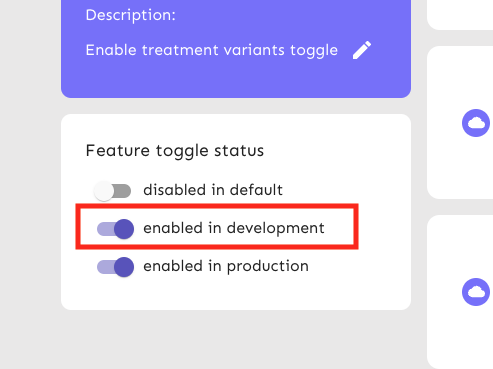
Feature flags can be enabled in the development environment directly in the Unleash UI.
- Enable Unleash in your local environment by setting the
UNLEASH_URL=https://unleash.uala.dev/apiandUNLEASH_API_KEY='...'environment variables in your.env.development.localfile. (you can ask the team for the API key) - Go to https://unleash.uala.dev/
- Find (or create) the feature flag you want to enable
- Ensure that the "enabled in development" toggle is enabled
How to enable a feature flag in test
Feature flags can be enabled in the test via RSpec metadata. It accepts a single (string) value or an array of strings representing the features you want active in the test.
RSpec.describe 'My feature', feature_flags: 'MY_FEATURE' do
  # ...
  # or...
  context 'when feature is enabled', feature_flags: %w[MY_FEATURE MY_OTHER_FEATURE] do
    # ...
  end
end
How to enable a feature flag in Production
Production code uses the Production environment, so be sure to enable the feature flag in the Unleash UI and attach the appropriate strategies.

Debug
If you need to debug the Unleash behaviour, you can set the UNLEASH_DEBUG=true environment variable in your .env.development.local file.